01 · Operate
Operate
The incident queue, the live map and the incident in hand, on one screen.
Tell us what you're evaluating and our team will get in touch.
We've received your request. Our team will reach out shortly.
Share your details and we will start the download.
Thanks. Your download should begin shortly. We may follow up about the programme.
Download againShare your details and we will start the download.
Thanks. Your document should begin downloading. Our team may follow up if useful.
Download again
Every camera, every incident, one screen
EdgeTrack VMS brings a corridor of Recon cameras onto one operator screen. Live video, instant playback, court-ready evidence and semantic search work side by side. The camera sees at the edge, and the VMS makes every second usable.
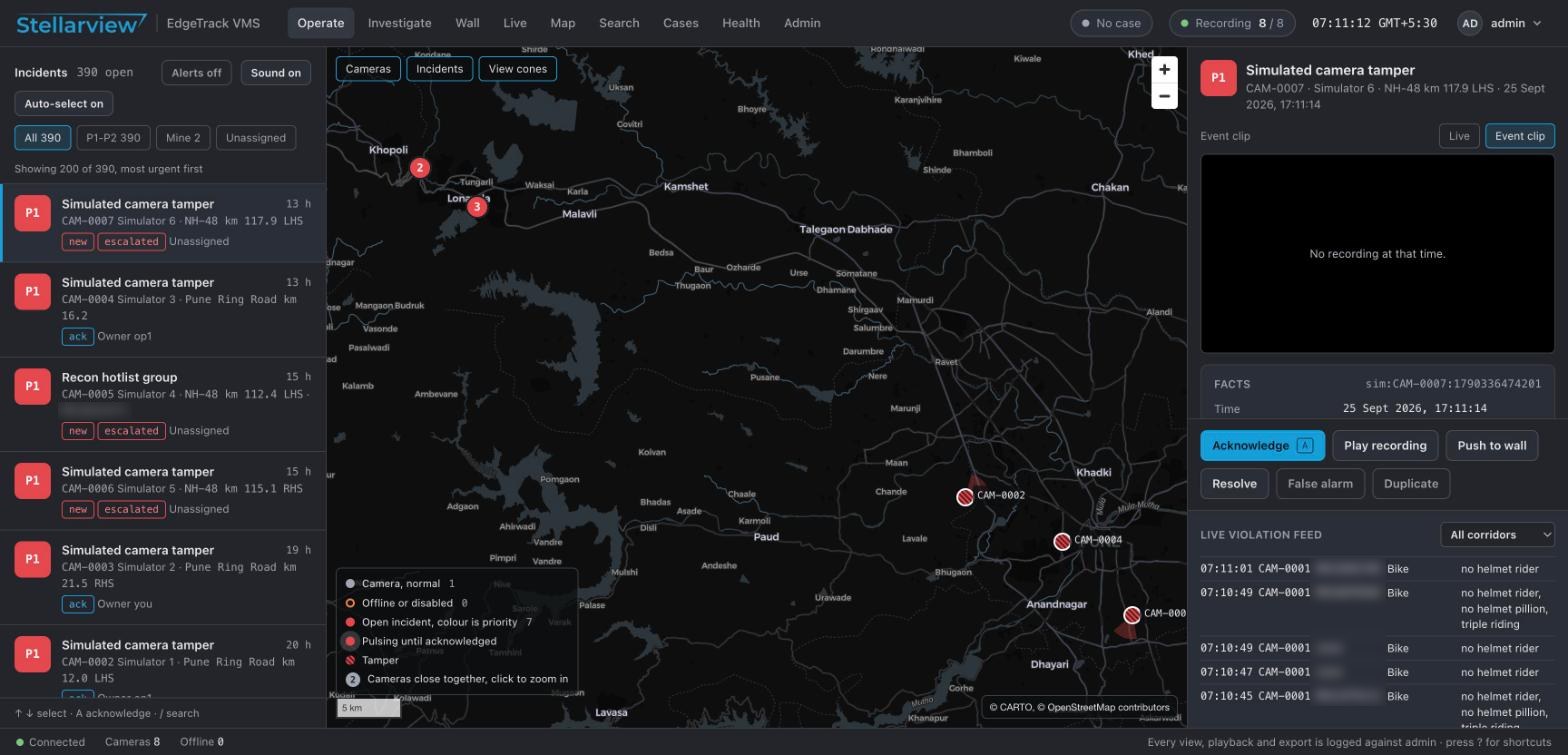
An operator starts with the incident queue, watches live video, investigates in playback and exports evidence. Supervisors manage alarms, walls, maps and system health from the same product.
The incident queue, the live map and the incident in hand, on one screen.
Grids, single view, digital zoom, presets and tours.
Synced playback, a timeline, bookmarks and evidence holds.
Signed export packages and cases that record the purpose of every view.
Describe a vehicle in words, find it, and follow its trail.
Rules, schedules, escalation and guided handling.
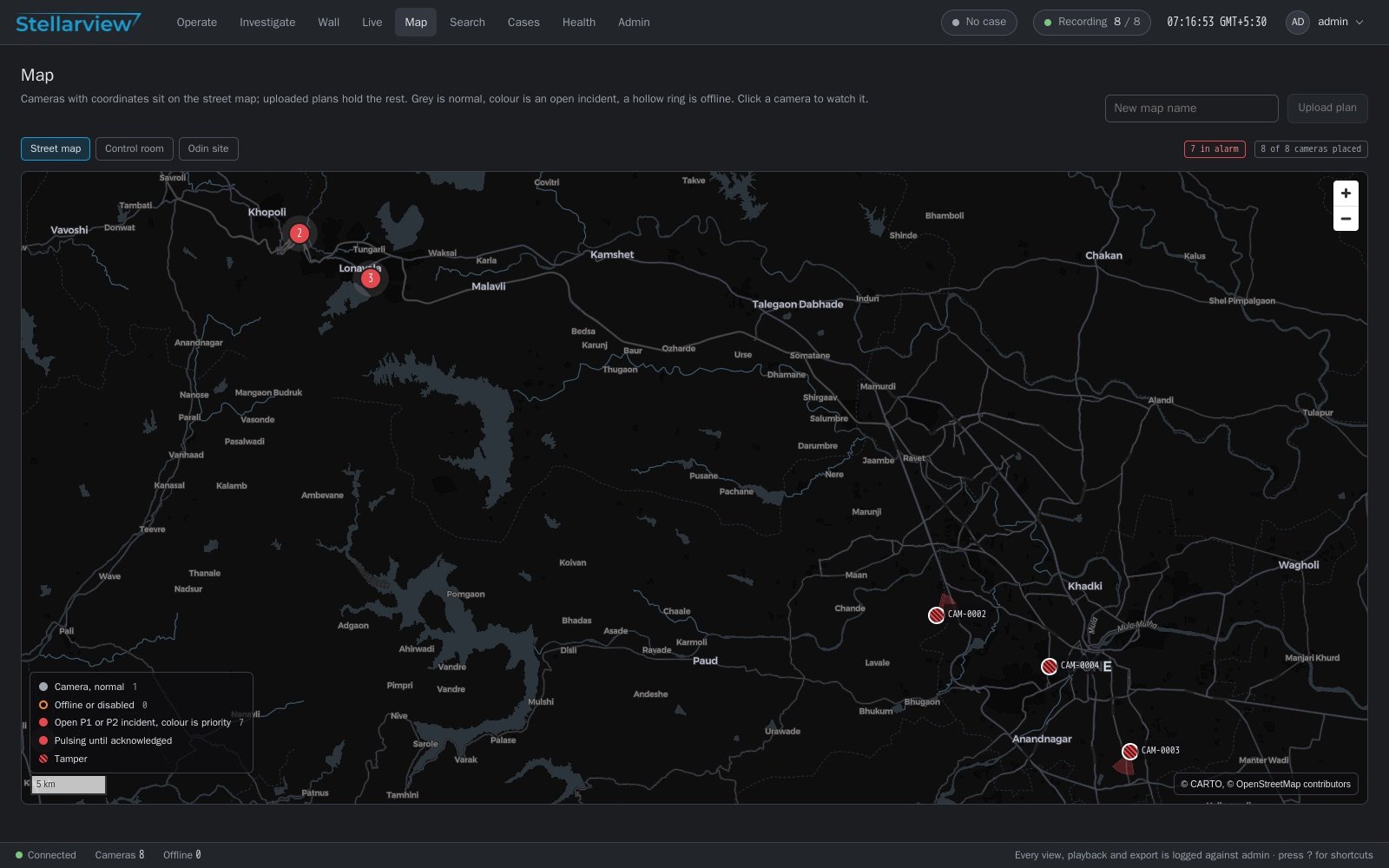
Video walls with an alarm tile, and a street map with chainage.
Fleet health, onboarding, roles, an audit chain and three languages.
The incident queue is on the left, the corridor map is in the centre and the selected incident is on the right. The operator does not switch between screens.
Operators watch grids of 1, 2x2, 3x3 or 4x4 cameras. A double-click opens one camera in single view on the 1080p main stream.
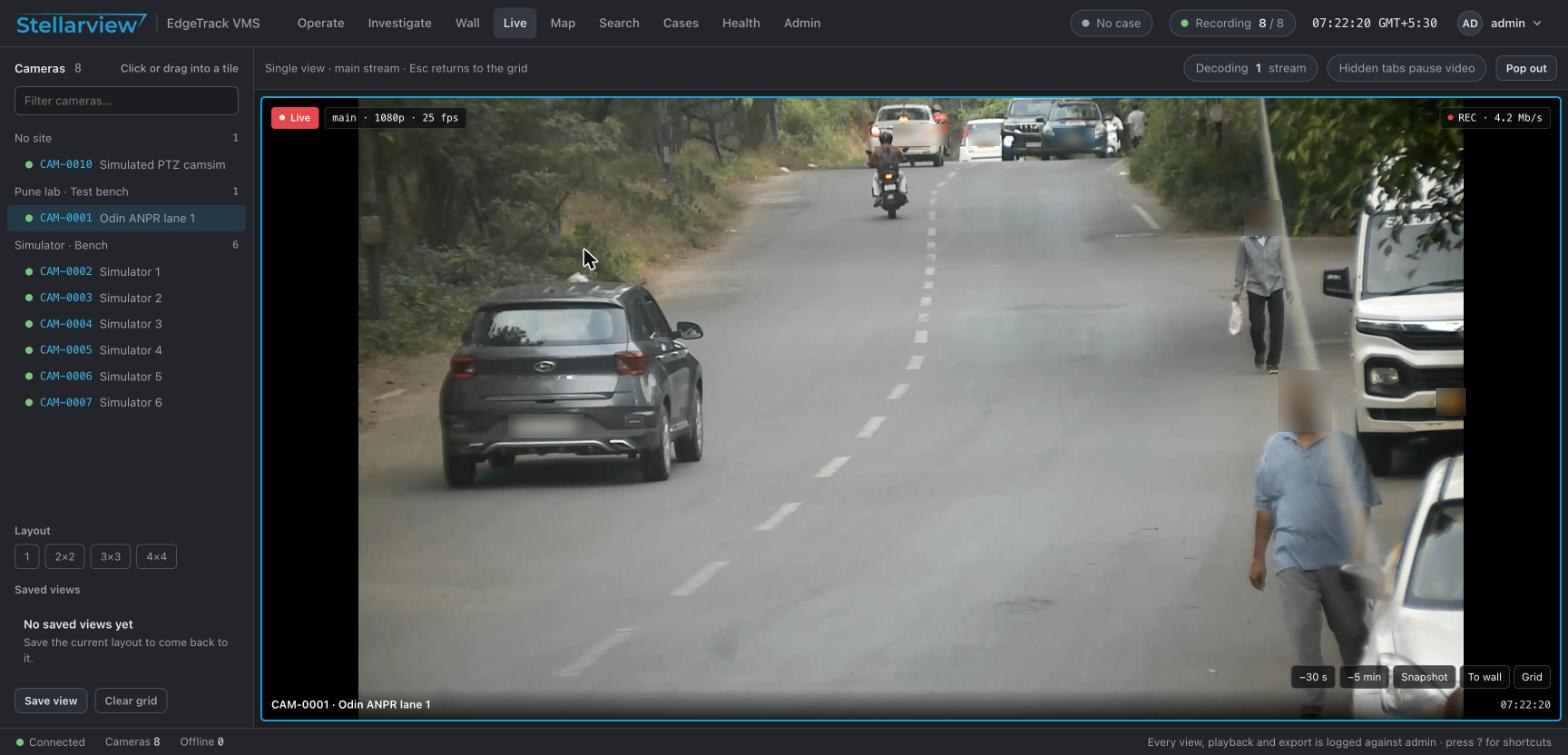
Up to four cameras play on one clock. The timeline zooms from seven days to one minute, and every tool follows the tile in focus.
The timeline marks recordings, gaps, holds, the selection and vehicle events. A calendar shows the days with footage.
Scrub thumbnails, reverse play and frame steps in both directions. The clock always matches the picture on screen.
Bookmarks have notes and search. An evidence hold keeps footage until a second person releases it.
Every export is a sealed package: the original video, a signed manifest and a verifier page that works offline.
Video is exported as MP4 or AVI and is never re-encoded. A multi-camera export gives one package per camera.
The manifest carries the SHA-256 hash of every file. A draft certificate under BSA section 63(4)(c) is included.
Every export needs a reason and places an evidence hold on its time range. Packages expire on a schedule that the site sets.
A case states its purpose. While it is active, every live view, playback, search and export is logged against it.
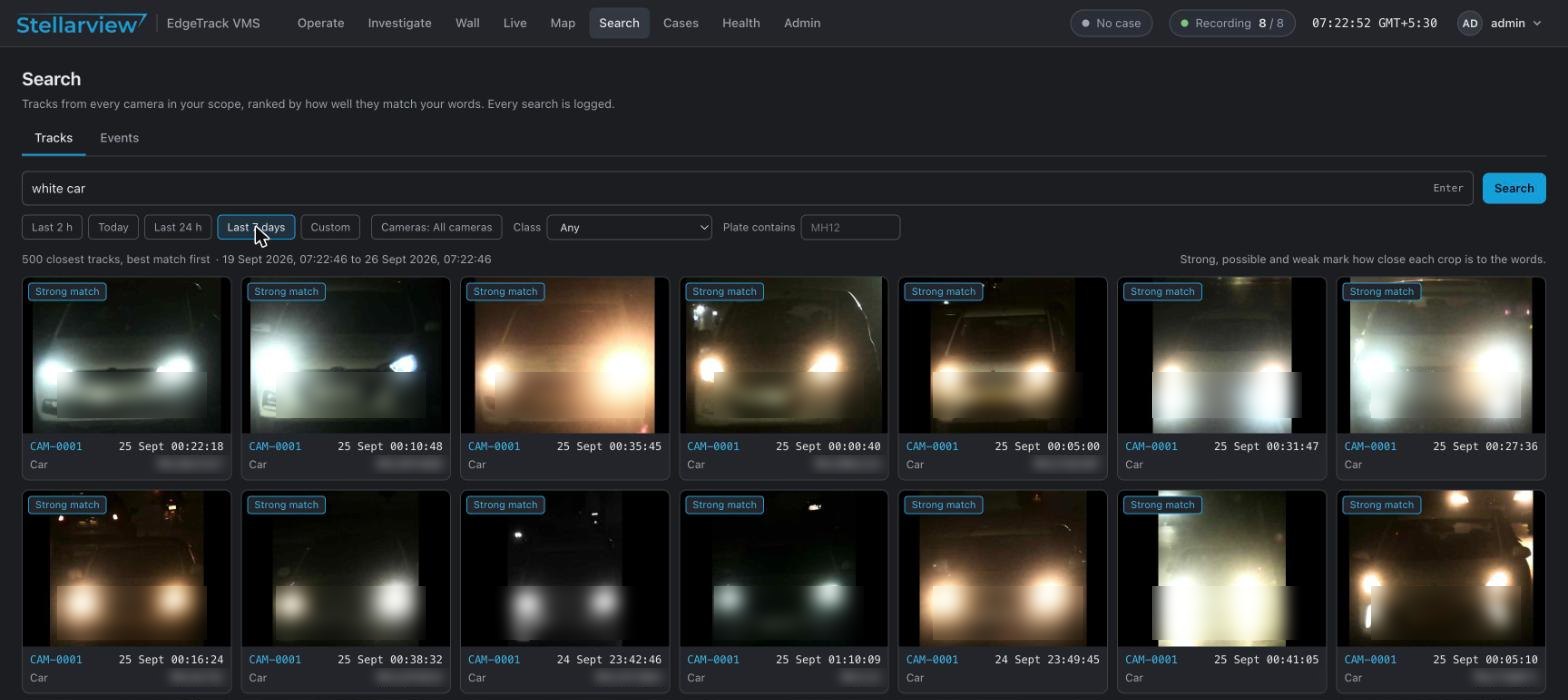
Type “white car” and every white car on the corridor comes back in under a second, ranked by match strength. The operator needs no plate number and writes no rules.
Each rule sets a priority for an event type and a camera, on a schedule. Its actions reach the queue, the wall, a webhook or a PTZ preset.
An ignored event stays searchable and raises nothing. Tamper, fallen-object and fire alerts from the camera enter the same queue.
Unacknowledged P1 and P2 incidents escalate to supervisors after a time that an administrator sets.
Each incident type has a list of steps. An operator can close an incident as resolved only when every step is ticked.
Acknowledge, assign, comment, link duplicates, close or reopen. Each action reaches the other operators in under a second.
A wall has 1 to 16 tiles. Each tile is a camera or a carousel, and an alarm tile jumps to the camera of every new P1 or P2 incident.
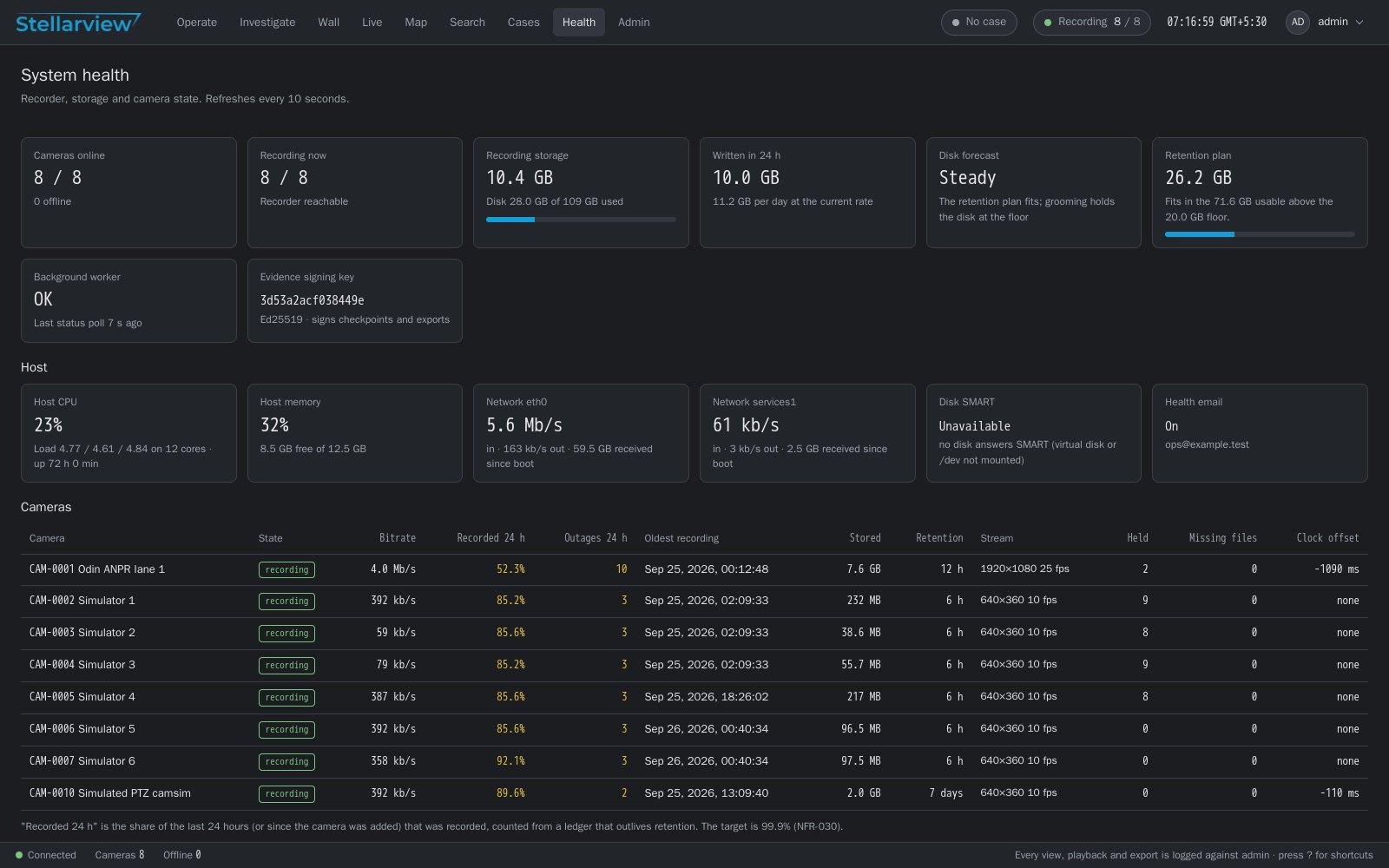
One page shows recorder, storage and camera state. Storage, recorder, host and camera faults raise system incidents in the operator queue.
State ITMS tenders list the functions a video management system must have. EdgeTrack VMS covers the functions below.
EdgeTrack VMS is a video management system for highway control rooms. It gives operators live video, synced playback, signed evidence export, semantic search, alarms, video walls and a corridor map for Recon cameras.
EdgeTrack VMS is built around the Recon edge camera. It reads the plate, vehicle and violation events that the camera produces, and it controls PTZ cameras through ONVIF.
Every export is a sealed package with the original video, a manifest signed with Ed25519 and the SHA-256 hash of every file. A verifier page checks the package offline. The export also places a hold on the footage, so retention does not delete it.
The operator types a description such as white car. The VMS returns matching vehicles from every camera in under a second, ranked by match strength. One click opens the recording at that moment.
No. Recording, playback and search run on the VMS server on the premises. On a closed network, the map is also served from the site.
English, Hindi and Marathi. Each user chooses a language and a time zone. Codes, plates and camera names stay as they are.